If you have already explored your results, you might be wondering if there are even more cousins out there waiting to be found. The answer is a resounding yes, and the key is a powerful (and free!) tool called GEDmatch.
What is GEDmatch and Why Use It?
DNA databases usually don’t talk to each other, so your results are effectively ‘locked’ inside the site where you took your test. For example, if you tested with Ancestry, you won’t see your matches from MyHeritage or 23andMe. GEDmatch is a third-party site that allows you to upload your raw DNA data from any major company, putting all those matches into one giant ‘pool’.
The Benefits:
- Connect with people who tested at different companies.
- Access ‘One-to-Many’ and ‘One-to-One’ comparisons that give more detail than standard company interfaces.
- In-depth paid features such as matching segment searches.
Step-by-Step: How to Upload Your Raw DNA
Before you start, ensure you have downloaded your “Raw DNA Data” file (usually a .zip file) from your testing provider’s settings page. Do not unzip the file.
1. Create Your Account
Go to GEDmatch.com and sign up for a free account. Once you’ve confirmed your email, log in to your dashboard.
2. Find the Upload Link
On the right-hand side of your home dashboard, look for the “Upload your DNA fast” or “Generic Upload” link.
3. Fill in the Details
You will be asked to provide:
- Name of the donor: (You can use an alias for privacy).
- Sex of the donor.
- Testing Company: (e.g., Ancestry, 23andMe).
4. Choose Your Privacy Settings
This is important! You can choose:
- Public: Everyone can see you as a match.
- Private: No one can see you.
- Research: Used for specific projects.
- Opt-in/Opt-out for Law Enforcement: Decide if you want your data accessible for cold case comparisons.
5. Upload the File
Click ‘Choose File’, select your .zip data file, and click ‘Upload’. Stay on the page until the green text tells you the upload is complete.
What is a GEDmatch Kit Number?
Once your upload is complete, GEDmatch will assign you a unique Kit Number (usually starting with a letter that identifies your original testing company, followed by several digits).
Think of this as your ‘Research ID’. You will use this number to:
- Reference your data when contacting new cousins.
- Run ‘One-to-One’ comparisons with specific matches.
- Check for common ancestors with people you meet in genealogy forums.
Don’t Forget to Stay Organised!
As soon as your GEDmatch results are processed, you are going to see a whole new wave of matches. This is where things can get messy if you aren’t prepared.
I highly recommend using the Forever Dear DNA Research Log, a spreadsheet to track these new connections. It is perfectly set up for GEDmatch users because it includes:
- Company Column: Essential for noting that a match was found on GEDmatch rather than a specific testing site.
- Shared DNA (cM) & Longest (cM): GEDmatch gives very detailed segment data, so make sure to log these to help narrow down the relationship.
- Common Location: Perfect for tracking those Irish townlands across different platforms.
- Likely or Confirmed MRCA(s): To keep your theories straight as you bridge the gap to your Irish ancestors.
When you find a match on GEDmatch, right-click a cell in your log and ‘Insert note’ to record their GEDmatch kit number! This makes it so much easier to find them again for a ‘One-to-One’ comparison later.
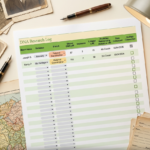
Download the DNA Research Log here
Read more…
- Managing the Family DNA: A Guide to Testing Relatives & Breaking Brick Walls
- DNA Jargon Buster: Making Sense of Your Results
- The DNA Trio: When an Autosomal Test Isn’t Enough
- A Beginner’s Guide to DNA Ethnicity Results
- I’ve Got My DNA Results… Now What?
- GEDmatch for Beginners: How to Upload DNA & Find More Matches